
Mega Mansion 2 Controls
Standard Roblox movement, pad interaction, cameras, and the two paid mobility passes.
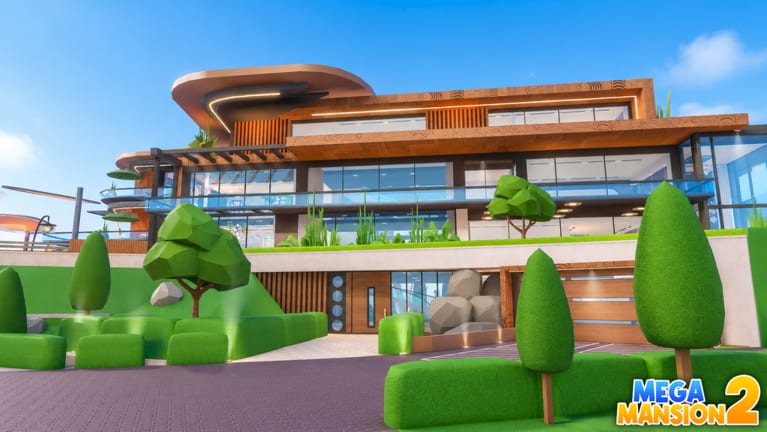
Mega Mansion 2 does not ship a unique combo list. You move with standard Roblox controls, look with the camera, and interact by walking onto buy pads and collectors. That is the whole verb set for building. Cars add enter and exit. The only movement upgrades in the pass list are Run (35 Robux) and Super Jump (39 Robux). They are optional. They do not collect cash and they do not skip pad order.
If you have not claimed a plot yet, finish Getting Started first. If you already have a plot and keep mis-spending, the loop is on How to Play. This page is only how your hands talk to the tycoon.
PC
On keyboard and mouse, move with WASD. Jump with Space. Look by dragging the camera with the right mouse button, or by using Roblox’s default camera keys if you have those bound. Walk onto a buy pad to purchase when you can afford it. Walk onto the collector to pick up cash unless you own Auto Collect.
There is no documented default sprint that replaces the Run pass. Do not assume Left Shift is a free speed boost in this experience. If you want to cross a large Classic floorplan or a Cliff driveway faster, that is what the Run pass is for. Super Jump only changes jump height. It is useful for camera sightseeing and for climbing awkward terrain. It is not a skip for locked rooms.
Zoom the camera out when you are shopping pads so you can see the collector and the next locked pad in one view. Zoom in when you are placing yourself on a thin pad. Most “the pad didn’t buy” reports on PC are camera height or standing on the edge, not a broken button.
Mobile
On touch, move with the left thumbstick overlay. Jump with the on-screen jump button. Drag to look. Pinch to zoom if your Roblox camera settings allow it. Buy pads and collectors still work by walking onto them. There is no separate “interact” skill you have to equip.
Mobile is where pad misses happen most. The avatar’s feet must sit on the pad. If you are looking straight down, it is easy to think you are on the button when you are beside it. Tilt the camera up, walk until the purchase registers, then turn back toward the collector.
Thumbstick drift and fat-finger jumps make Cliff Mansion harder than Classic Mega Mansion. Classic is a sequential house with flatter circulation. Cliff is a slope and island estate. If you are on a phone, finish more of Classic before you fight driveway grades. Run and Super Jump help here more than they help on a small starter wing, which is why they are tempting — and why they are still not required.
Console and gamepad
On a gamepad, left stick moves, right stick looks, and the platform’s standard Roblox jump button jumps. Walk onto pads and collectors the same way. Mega Mansion 2 is not split-screen. A second person on the couch needs their own Roblox session in the same server, public or private.
If the camera feels too snappy, lower look sensitivity in Roblox settings rather than buying Super Jump to “fix” sightseeing. Super Jump is a height pass. It will not calm a twitchy right stick. Vehicle camera is the same Roblox vehicle camera you already know: enter the car you own, drive with move controls, exit when you are done showing off.
Pads, collectors, and vehicles
Interaction is proximity. There is no documented hold-to-confirm minigame. If a pad does not buy, check cash, check that the pad is the next one in sequence, and check that you are standing on it. If the collector does not empty, walk through it, not past it.
Vehicles are a later control surface. Do not practice driving until the house can be toured on foot. Custom Car Colors and Car Radio do not change steering. They change how the car looks and sounds after you already know how to park without hitting a buy pad you cannot afford to trigger.
Auto Collect (630) removes the collector walk. It does not move you to the next pad. 25% Money Boost (400) changes income, not input. VIP (325) and Starter Pack (123) are unrelated to the control scheme.
Comfort on a 12-player plot
Public servers hold 12 players. Other avatars, cars, and cameras will bump your view. If you cannot line up a pad, hop a free private server and buy in peace, then return to public for visits. That is a controls solution as much as a social one.
If a pass does not change how you press a pad, skip it on day one. Comfort beats flashy movement on a crowded plot. Buy Run or Super Jump when the walk from collector to pad is the thing slowing you down, not because the pass shop is the first GUI you noticed.
Frequently Asked Questions
Quick answers to the most common Mega Mansion 2 questions.
What are the Mega Mansion 2 controls on PC?
WASD to move, Space to jump, mouse to look, and walk onto pads or the collector to interact. See Getting Started for what to buy after you can move.
How do I buy a room pad on mobile?
Walk until your avatar stands on the pad. There is no separate interact button. If it fails, zoom the camera and try again.
Do I need the Run or Super Jump game pass?
No. They cost 35 and 39 Robux and only change speed or jump height. They are optional quality-of-life, not a requirement to 100% a house.
Is Mega Mansion 2 split-screen on console?
No. It is online multiplayer with 12-player servers. A second player joins the same server on their own session.
Why can't I collect cash?
Walk through the collector, or buy Auto Collect if you want AFK pickup. The spend loop after that is on How to Play.
Do vehicles use special controls?
No unique scheme is documented. Enter a car you own, drive with standard Roblox move controls, and exit to return to pad buying.